Engine Oil Draining And Filling: Filling
- Torque: 24 Nm
- Refer to: ENGINE UNDERSHIELD
- Lubricate the oil filter element O-ring seal with clean engine oil.
-
- Fill the engine with oil - for filling values on vehicles without supercharger:
Refer to: SPECIFICATIONS
- Fill the engine with oil - for filling values on vehicles with supercharger:
Refer to: SPECIFICATIONS
- Clean any residual engine oil from the oil filler cap area.
- Fill the engine with oil - for filling values on vehicles without supercharger:
- See Figure
- Follow the Steps 9-15 before starting the engine.
-
- Start the engine and allow to run for 10 minutes, stop the engine.
- Check for leaks.
-
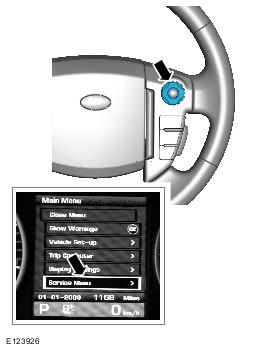
- Turn the ignition on.
-
- The message center display will revert to the normal display in the trip computer.
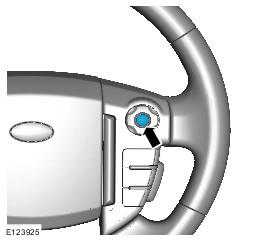
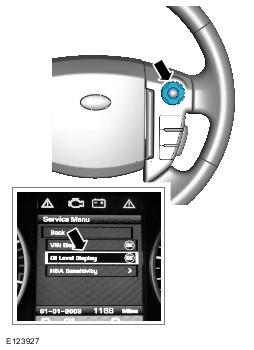
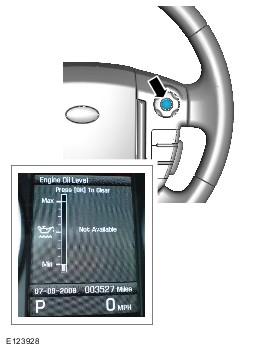
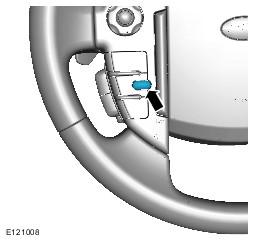
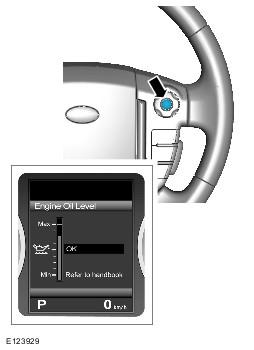
- Press the right-hand OK button and follow the instructions.
- Check that the oil level display shows an oil level reading.
- Only after having started and run the engine for 10 minutes (as indicated in Step 8), switch off the engine, then stabilizing for 10 minutes, take a reading from the oil level display and, if necessary top up with engine oil.
- Turn the ignition off.
- Allow 10 minutes for the engine oil level to stabilize if there has been additional oil top up.
-
- The message center display will revert to the normal display in the trip computer.
- Turn the ignition off.
- Turn the ignition on.
- Refer to: ENGINE COVER
CAUTION:
Make sure that the area around the component is clean and free of foreign material.
NOTE:
Install a new sealing washer.
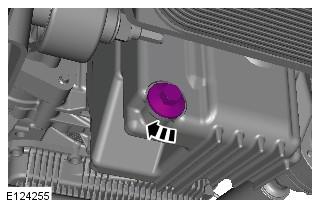
NOTE:
Install new O-ring seals.
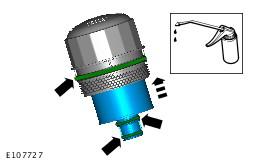
CAUTION:
Tighten the component finger tight first.
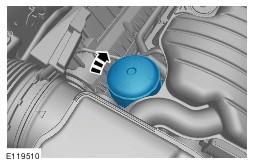
CAUTION:
Make sure that the vehicle is left for 5 minutes from filling with oil and that the engine oil level is reading at least minimum (by following Steps 9-15), before starting the engine.
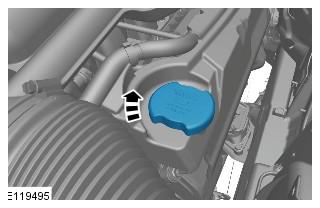
CAUTION:
Make sure that the vehicle has been left for 5 minutes from filling with oil.
CAUTION:
Make sure that the selector lever and the gearshift mechanism are in the park (P) position.
CAUTION:
Make sure that the hood is open.
NOTE:
If instructed to follow Steps 9-15 in a previous step, return to Step 8 and continue the procedure.
NOTE:
The following steps are to update the average oil level value.