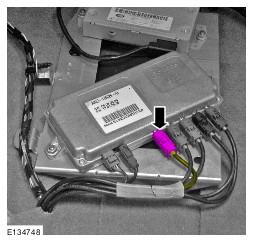
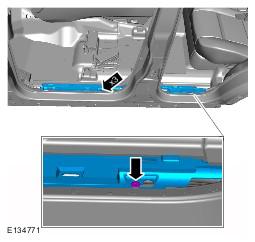
Front Parking Aid Camera Wiring Harness - Main Body Section (LHD AWD): Installation
- Install the camera overlay wiring harness
- Carefully feed the camera overlay wiring harness along the main body wiring harness from the camera module to the RH A-pillar.
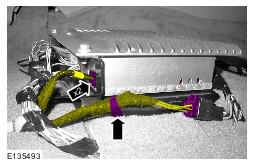
- Using suitable tie straps, secure the camera overlay wiring harness to the main body wiring harness.
- Connect the electrical connector.
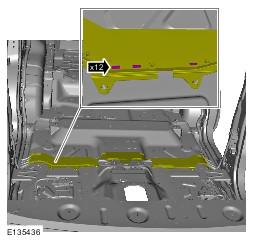
- Secure the wiring harness cover.
- Secure the 12 clips.
- Re-apply suitable tape to the wiring harness cover in the positions previously secured.
- Install the floor covering.
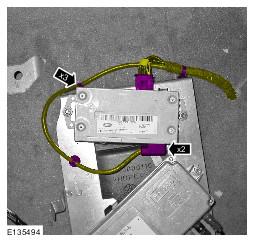
- Connect the 2 electrical connectors.
- Secure the 3 clips.
- Connect the 2 electrical connectors.
- Secure the clip.
- Connect the electrical connector.
- Install the CJB. Refer to: Central Junction Box (CJB) information.
- Install the LH wiring harness cover.
- Secure the 3 clips.
- Repeat procedure for the other side.
- Install the LH scuff plate trim panel. Refer to: Scuff Plate Trim Panel information.
- Repeat procedure for the other side.
- Install the floor console. Refer to: Floor Console information.
- Install the LH front seat. Refer to: Front Seat information.
- Repeat procedure for the other side.
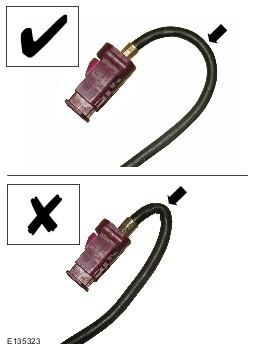
CAUTION:
Make sure that the camera overlay wiring harness is not bent excessively during this procedure. Failure to follow this instruction may result in damage to the harness.
CAUTION:
Make sure that excessive force is not used when installing the tie straps to the wiring harness. Failure to follow this instruction may result in damage to the harness.
NOTE:
RHD shown, LHD similar.
NOTE:
The left hand front camera wiring harness connectors are coloured magenta, the right hand front camera wiring harness connectors are coloured blue.
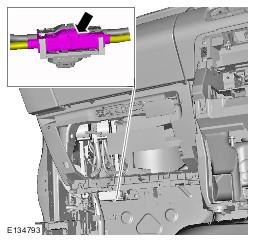
NOTE:
The left hand front camera wiring harness connectors are coloured white, the right hand front camera wiring harness connectors are coloured black.