Battery And/Or Charging System Concerns (LTB00829)
WARNING: This page is about the LR4 Base, which is a different variant/trim than selected.
Publication date: 2015-08-26Reference number: LTB00829
BATTERY AND/OR CHARGING SYSTEM CONCERNS
TECHNICAL SERVICE BULLETIN
Reference Number(s): LTB00829, Date of Issue:
August 26, 2015
| LAND ROVER: | 2014 Onwards Range Rover (LG), Range Rover Sport (LW); 2015 Onwards Discovery Sport (LC); 2012 Onwards Range Rover Evoque (LV); 2012-2015 Freelander 2/LR2 (LF); 2010-2015 Freelander 2/LR2 (LF); 2010-2015 Freelander 2/LR2 (LF); 2010 Onwards Discovery 4 / LR4 (LA); 2010-2013 Range Rover Sport (LS) |
| SECTION: | 414-00 |
| AFFECTED VEHICLES: | Range Rover (LG) Model Year: 2014 Onwards VIN: 100000 Onwards Manufacturing Plant: Solihull; Range Rover Sport (LW) Model Year: 2014 Onwards VIN: 300000 Onwards Manufacturing Plant: Solihull; Discovery Sport (LC) Model Year: 2015 Onwards VIN: 501001 Onwards Manufacturing Plant: Halewood; Range Rover Evoque (LV) Model Year: 2012 Onwards VIN: 600000 Onwards Manufacturing Plant: Halewood; Freelander 2/LR2 (LF) Model Year: 2012-2015 VIN: 910001-911856; Freelander 2/LR2 (LF) Model Year: 2010-2015 VIN: 148520-439912 Manufacturing Plant: Halewood; Discovery 4 / LR4 (LA) Model Year: 2010 Onwards VIN: 510178 Onwards Manufacturing Plant: Solihull; Range Rover Sport (LS) Model Year: 2010-2013 VIN: 212145-814822 Manufacturing Plant: Solihull |
CONDITION SUMMARY
Situation: A customer may express a concern that the vehicle battery is flat or one of the following messages/warning lights may be displayed on the Instrument Cluster (IC).
- Faulty generator.
- Faulty Battery Monitoring System (BMS).
- The charge warning indicator is illuminated when the engine is running.
Cause: The power supply is a fully integrated system that requires 5DD to diagnose overall functionality robustly to make sure customer satisfaction is met via right first time diagnosis.
Suggested Customer Concern Code - JL3.
Action: Should a customer express this concern, follow the Diagnostic Procedure below.
PARTS
No Parts Required
TOOLS
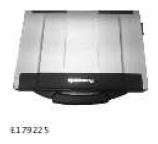
JLR approved diagnostic tool (SDD)
SDD DVD142.06 and Calibration File 215 loaded or later
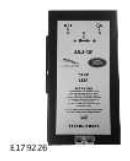
JLR approved battery support unit
WARRANTY
NOTE:
Repair procedures are under constant review, and therefore times are subject to change; those quoted here must be taken as guidance only. Always refer to TOPIx to obtain the latest repair time.
NOTE:
DDW requires the use of causal part numbers. Labor only claims must show the causal part number with a quantity of zero.
| DESCRIPTION | SRO | TIME (HOURS) | CONDITION CODE | CAUSAL PART |
|---|---|---|---|---|
| Battery - power supply service mode diagnostic | 86.90.11 | 0.3 | 42 | Refer to the Service Information section |
NOTE:
Normal Warranty procedures apply.
SERVICE INFORMATION
- The casual part number will vary depending on the findings of the Diagnostic Procedure. Make sure the relevant causal part number is claimed based on the results.
DIAGNOSTIC PROCEDURE
NOTE:
The JLR approved battery support unit needs to be disconnected whilst the application runs through its process, make sure it is fitted after the application has finished.
CAUTION:
This procedure requires SDD DVD142.06 and Calibration File 215 loaded or later.
- Connect the JLR approved battery support unit.
- Connect SDD to the vehicle and begin a new diagnostic session, by reading the vehicle identification number (VIN) for the current vehicle and initiating the data collect sequence.
- Follow the SDD prompts.
- Disconnect the JLR approved battery support unit.
- If the hyperlink is not available, the application can be found as follows:
- Select the Diagnosis Session Type.
- Select any of the following symptoms:
- Electrical - Battery - Charging system - Battery monitoring system
- Electrical - Instruments - Warning lamps - Battery and alternator lamp
- Powertrain - Engine system - Starting system - Start-stop system
- From 'Recommendations', run: Battery - Power supply service mode diagnostic
- Follow all of the on screen instructions to complete the application.
- After the application has finished follow the on screen instructions for the next steps.
- When all of the tasks are complete, exit the current session by selecting the Session tab and then select the Close Session option.
- Disconnect SDD.