Auto High Beam Disabled (JLRTB02078NAS1)
WARNING: This page is about the LR4 Base, which is a different variant/trim than selected.
Publication date: 2021-03-09Reference number: JLRTB02078NAS1
AUTO HIGH BEAM DISABLED
TECHNICAL SERVICE BULLETIN
Reference Number(s): JLRTB02078NAS1, Date of Issue:
March 09, 2021
| LAND ROVER: | All Models |
| SECTION: | 413-08B |
MARKETS
NORTH AMERICA
CONDITION SUMMARY
SITUATION:
After a short sleep cycle the auto high beam menu is set to disabled and the auto high beam feature will not operate, with no ability to override this option.
CAUSE:
Software concern with the Headlamp Control Module A (HCM) and Headlamp Control Module B (HCMB).
ACTION:
Follow the instruction below.
TOOLS
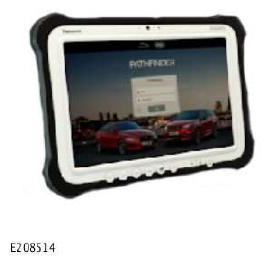
Jaguar Land Rover (JLR) approved diagnostic equipment
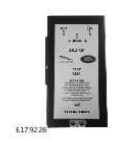
JLR approved battery support unit
WARRANTY
NOTE:
* When submitting your Warranty claim within the Warranty portal, use the Condition Code list shown to select the Condition Code which best describes the vehicle defect.
NOTE:
- Repair procedures are under constant review, and therefore times are subject to change; those quoted here must be taken as guidance only. Use TOPIxto obtain the Latest repair time.
- The JLR claims submission system requires the use of causal part numbers. Labor only claims must show the causal part number with a quantity of zero.
WARRANTY INFORMATION
| DESCRIPTION | SRO | TIME (HOURS) | CONDITION CODE | CAUSAL PART |
|---|---|---|---|---|
| Land Rover - JLRTB - Update headlamp control module A and B | 85.86.32 | 0.2 | * | LR144918/LR150092/LR154850/LR144290/LR140057 |
| Jaguar-JLRTB - Update headlamp control module A and B | 85.86.32 | 0.2 | * | T2H19456/J9C22549/T4K11265/T4N36643/T2H43705 |
NOTE:
Normal Warranty procedures apply.
DIAGNOSTIC INSTRUCTION
-
CAUTION:
- This procedure requires a minimum of Pathfinder 318 installed or later.
- All ignition ON/OFF instructions must be followed. Failure to complete these instructions may cause damage to the vehicle control modules.
NOTE: The JLR approved diagnostic equipment will read the Vehicle Identification Number (VIN) for the vehicle and automatically take the vehicle out of Transportation Mode' if required.Connect the JLR approved battery support unit.
- Connect the JLR approved diagnostic equipment to the vehicle and begin a new session.
- Follow the JLR approved diagnostic equipment prompts.
- Select 'ECU Diagnostics'.
- Select 'Headlamp Control Module 'A' [HCM]'.
- Select 'Update ECU'.
- Follow all on-screen instructions to complete the task.
- Select 'Headlamp Control Module 'B' [HCMB]'.
- Select 'Update ECU'.
- Follow all on-screen instructions to complete the task.
- If required, reset the vehicle to Transportation Mode'.
- When all of the tasks are complete, exit the session.
- Disconnect the JLR approved diagnostic equipment and the JLR approved battery support unit.