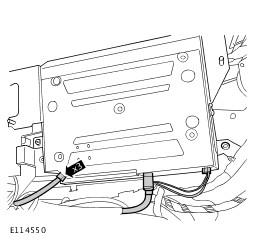
Digital Versatile Disc (DVD) Player: Removal
- Remove the RH rear quarter trim panel. Refer to Loadspace Trim Panel RH .
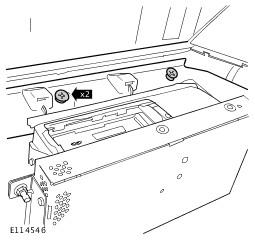
- Release the rear quarter trim panel mounting bracket.
- Remove the 2 screws.
- Remove the rear quarter trim panel mounting bracket.
- Release the 2 clips.
- Release the rear seat entertainment module.
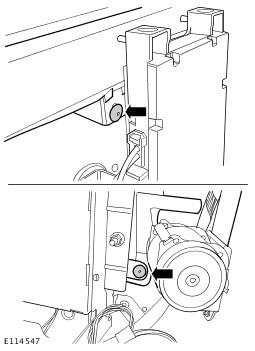
- Remove the 3 nuts. TORQUE: 10 Nm
- Position aside.
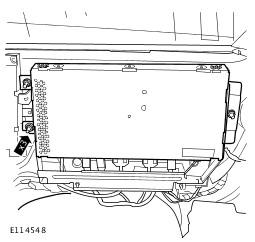
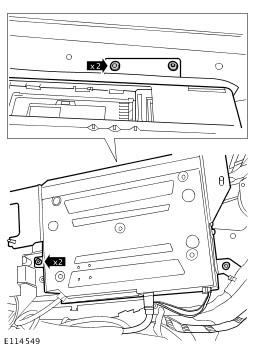
- Release the DVD player from the body.
- Remove the 4 Torx bolts.
- Remove the DVD player.
- Disconnect the 3 electrical connectors.
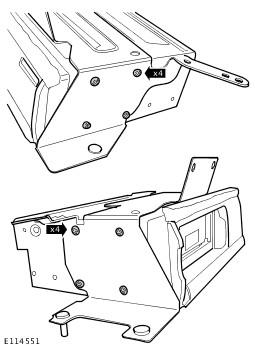
- Remove the DVD player mounting bracket.
- Remove the 8 screws.
CAUTION:
Make sure that the fiber optic cables are not bent to a radius of less than 25 mm.
CAUTION:
Make sure that the fiber optic cables are not bent to a radius of less than 25 mm.
CAUTION:
Make sure that the optical connectors are clean and free of foreign material.