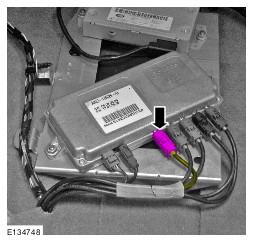
Front Parking Aid Camera Wiring Harness - Main Body Section (LHD AWD): Removal
CAUTION:
Make sure that the camera overlay wiring harness is not bent excessively during this procedure. Failure to follow this instruction may result in damage to the harness.
- Remove the LH front seat. Refer to: Front Seat information.
- Repeat procedure for the other side.
- Remove the floor console. Refer to: Floor Console information.
- Remove the LH scuff plate trim panel. Refer to: Scuff Plate Trim Panel information.
- Repeat procedure for the other side.
- Release the wiring harness cover.
- Release the 3 clips.
- Repeat procedure for the other side.
- Remove the central junction box (CJB). Refer to: Central Junction Box (CJB) information.
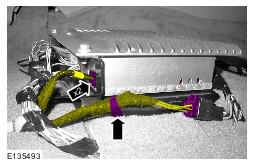
- Disconnect the electrical connector.
- Disconnect the 2 electrical connectors.
- Release the 3 clips.
- Disconnect the 2 electrical connectors.
- Release the clip.
- Release the wiring harness cover.
- Reposition the floor covering for access.
- Using a suitable tool, carefully cut though the wiring harness cover retaining tape.
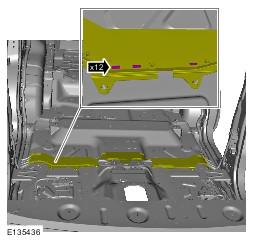
- Release the 12 clips.
- Disconnect the electrical connector.
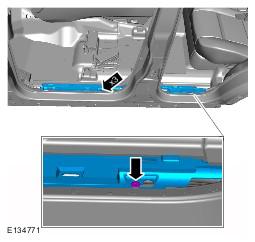
NOTE:
RHD shown, LHD similar.
NOTE:
The left hand front camera wiring harness connectors are coloured magenta, the right hand front camera wiring harness connectors are coloured blue.
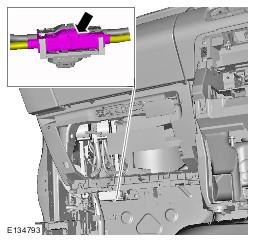
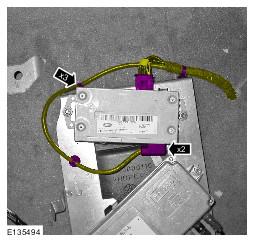
NOTE:
The left hand front camera wiring harness connectors are coloured white, the right hand front camera wiring harness connectors are coloured black.