Pinpoint Test A: Voltage Drop
| TEST CONDITIONS | DETAILS/RESULTS/ACTIONS |
| A1: GROUND CIRCUIT | |
|
NOTE:
This test checks for high resistance between the battery terminal and the battery clamp
|
|
1
Start the engine, turn on the following:
|
|
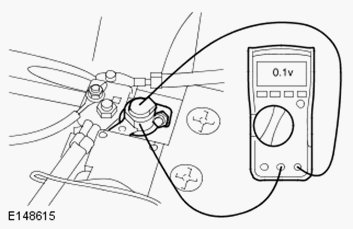
| 2 Connect the multimeter between the battery negative terminal and the battery clamp as shown in picture below (do not disconnect the battery at this stage) | |
| 3 Set the multimeter to read DC voltage and record the reading | |
| Is reading equal to or below 0.1 volts? Yes GO to A2. No Switch all electrical loads and engine off, return the vehicle to an ignition off condition. Disconnect the battery negative clamp, clean clamp and terminal then reconnect and repeat test GO to A1. |
|
| TEST CONDITIONS | DETAILS/RESULTS/ACTIONS |
| A2: POWER CIRCUIT | |
|
NOTE:
This test checks for high resistance between the battery terminal and the battery clamp
|
|
1
Start the engine, turn on the following:
|
|
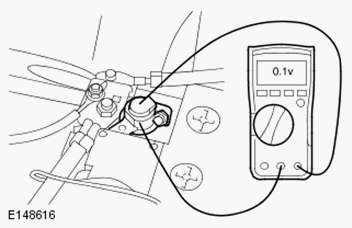
| 2 Connect the multimeter between the battery positive terminal and the battery clamp as shown in picture below (do not disconnect the battery at this stage) | |
| 3 Set the multimeter to read DC voltage and record the reading | |
| Is reading equal to or below 0.1 volts? Yes Carry out midtronics battery test procedure No Switch all electrical loads and engine off, return the vehicle to an ignition off condition. Disconnect the battery power clamp, clean clamp and terminal then reconnect and repeat test GO to A2. |
|
| Reference | Description |
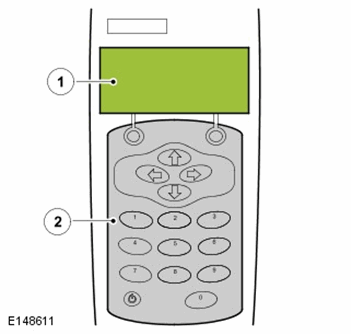
| 1 | LCD screen with main menu |
| 2 | Control panel (key board and power button) |
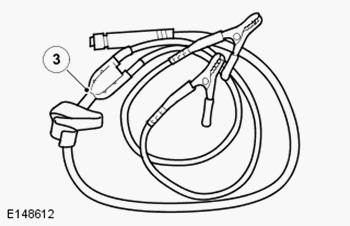
| 3 | Positive and negative fly leads |
| 4 | Fly leads connection |
| 5 | Temperature sensor |
| 6 | Infra-red sensor (data transfer for printer) |
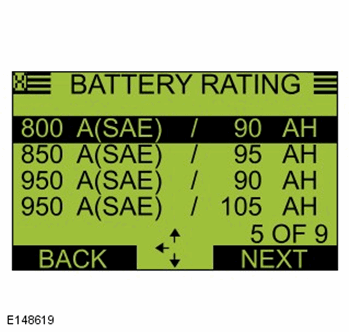
| 7 | Amp hour |
| 8 | Battery rating (CCA) |
| 9 | Rating units |
| 10 | Battery type |
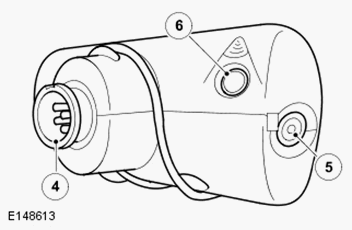
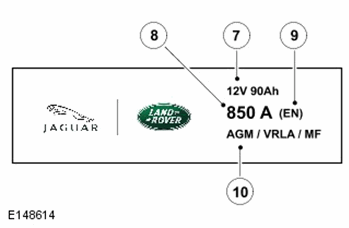
The following steps must be carried out to ensure correct operation of the EXP-1080 during the battery test procedure
| Checks | Action |
| Battery fluid leakage, check for battery fluid leaks or damage to the battery casing |
NOTE:
If visible damage to the case is evident do not return battery under warranty Replace the battery if there is any battery fluid leaks evident |
| Battery vent pipe routing | Check for routing, ensure there are no kinks |
| EXP-1080 fly lead, condition of clamps | Clean or replace as required |
| EXP-1080 fly lead connection | Confirm secure connection |
Typical Values
| Amp Hour | CCA (Cold Cranking Amps | Rating Units |
| 12 | 200 | EN |
| 70 | 760 | SAE |
| 80 | 700 | SAE |
| 80 | 800 | SAE |
| 90 | 800 | SAE |
| 95 | 850 | SAE |
| 90 | 950 | SAE |
| 105 | 950 | SAE |
Midtronics Battery Test Procedure
This midtronics battery test procedure will confirm the serviceability of the battery
- 1. Connect the fly-lead to the midtronics EXP-1080
- 2. Connect the fly-leads to the battery terminals
- Black lead to negative terminal
- Red lead to positive terminal
- Confirm the connections are secure
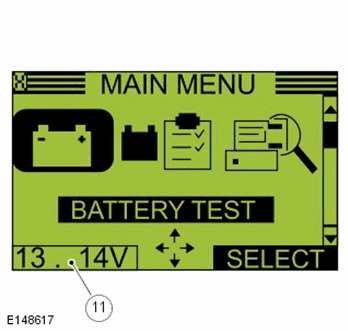
- 3. The EXP-1080 will power on automatically when connected to a battery, screen below is displayedNOTE: MAIN MENU SCREEN
- 4. Main Menu.
Select Battery test
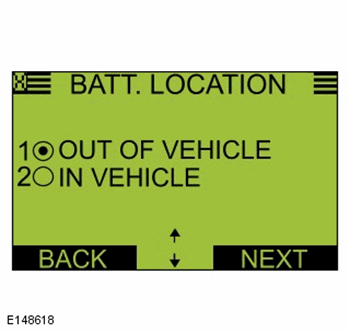
and press SELECT NOTE: BATTERY LOCATION
- 5. Battery Location. Select either, Out of vehicle or In Vehicle as appropriate
- Select Next NOTE: BATTERY RATING
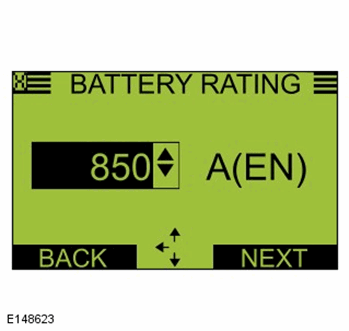
- 6. BATTERY RATING. Select the correct battery rating from the pre-installed list, (Go to step 10). Or,
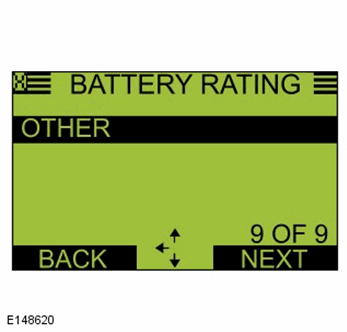
- To manually enter the correct battery type, specification and CCA rate. Scroll using the arrow keys on the midtronics panel and select Other from the menu
- Select Next NOTE: BATTERY TYPE
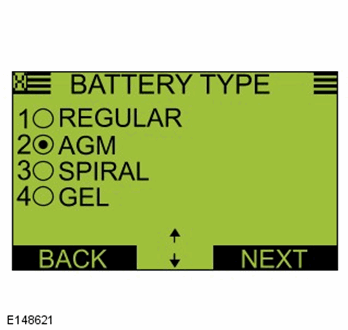
- 7. Battery Type. Select the correct battery type (Regular or AGM )
- NOTE: All AGM batteries are marked (Refer to battery label)
- Select Next NOTE: RATING UNITS
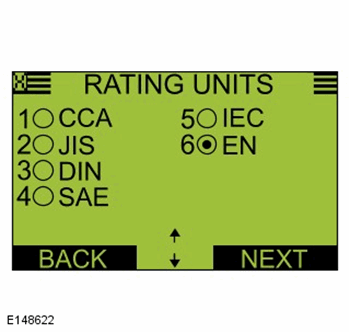
- 8. Rating Units. Select the correct rating units. Refer to the battery label for correct specification. Options EN, DIN, SAE
- Select Next NOTE: BATTERY RATING
- 9. BATTERY RATING. Scroll using the arrow keys on the midtronics panel, select the correct CCA rating (For CCA refer to battery label)
- Select Next NOTE: TEMPERATURENOTE: Ensure that the temperature sensor does not touch any part of the battery or vehicle, this will cause damage not be covered under the midtronics warranty and will require the unit to be returned to a service center
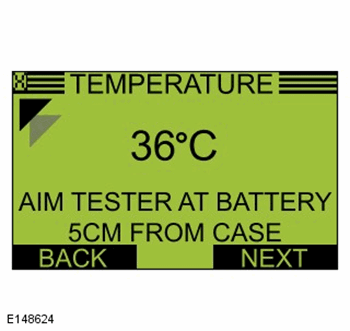
- 10. Temperature. Aim the temperature sensor towards the battery casing (Maintain distance of 5cm)
- Select Next NOTE: TESTING
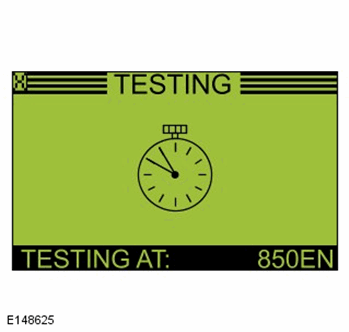
- 11. Testing.
The screen displays clock hand's rotating, the EXP-1080 will automatically advance when test has completedNOTE: SURFACE CHARGENOTE: If there is no surface charge this step will not show. Go to next step
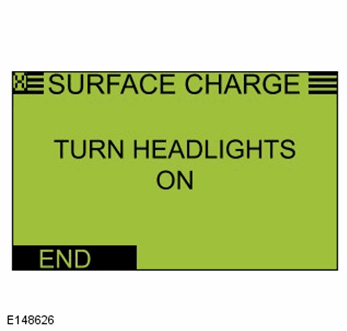
- 11a. Surface Charge.
Ensure the ignition state is on.
Switch on the headlights (high beam) until EXP-1080 shows Turn off headlights
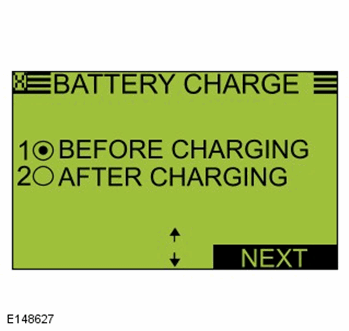
then return ignition state to offNOTE: BATTERY CHARGENOTE: If the state of charge is sufficient this step will not show. Go to next step
- 11b. Battery Charge. Select Before Charging if battery has not been on a recommended mains charger for a minimum of 6 hours
- Select After Charging
if battery has been on a recommended mains charger for a minimum of 6 hoursNOTE: DEEP SCAN TECHNOLOGYNOTE: This test is automated and will show if required. Go to next step
- 12. Testing.
The EXP-1080 will carry out the deep scan test, then automatically advance when test has completed
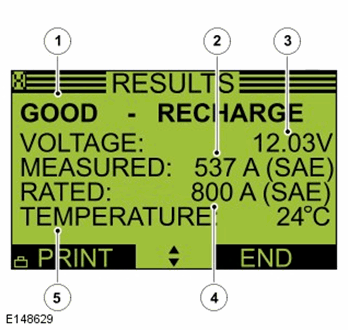
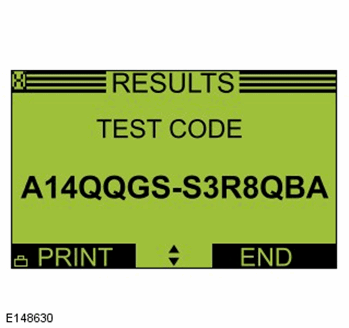
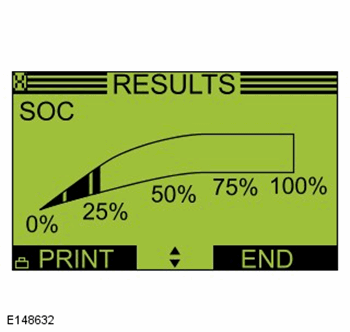
Number Description 1 Battery test result 2 CCA (Measured capacity rating) 3 Voltage 4 CCA (Manually entered) 5 Temperature NOTE: RESULTSTest Result Action GOOD BATTERY Test complete no action required GOOD - RE-CHARGE Charge battery using a recommended mains charger (minimum 50 amp) until charging complete CHARGE AND RE-TEST Charge battery using a recommended mains charger (minimum 50 amp) until charging complete. Retest. If the result is the same replace battery REPLACE BATTERY / BAD CELL BATTERY Replace battery. Do Not Recharge UNABLE TO COMPLETE TEST Disconnect battery from vehicle and re-test NOTE: TEST CODENOTE: Battery test code, must be given if a battery, starter motor or generator is exchanged under warrantyNOTE: STATE OF HEALTHNOTE: General health of the battery and its ability to deliver its specified performance compared with a new batteryNOTE: SOC (State Of Charge)NOTE: BATTERY STATE OF CHARGE - Results. From the result display use the arrow keys on the control panel to view the test code
- The test code must be quoted with every battery claim under warranty


Flooded Battery Care Point
If the vehicle is equipped with a flooded battery, ensure the replacement battery is a flooded battery of the same specification (cold cranking amperage (CCA) / amp hour rating (Ah)) as the original battery
Under no circumstances should you fit a flooded battery to a vehicle that originally had an AGM battery, unless formally instructed by Jaguar/Land Rover
AGM Battery Care Point
If the vehicle is equipped with an absorbed glass mat (AGM) battery, ensure the replacement battery is a AGM battery of the same specification (cold cranking amperage (CCA) / amp hour rating (Ah)) as the original battery, unless formally instructed by Jaguar/Land Rover